

You must log in or # to comment.
This is a much better idea than those products that are $1000 for a bad laptop with a tiny eink screen.
Hey, they’re only $800: https://shop.boox.com/collections/eink-tablet/products/notemax - yeah, I’ve wanted an e-ink screen (to sit outside in bright light and read with sunglasses on) for years, but never for the prices they’re charging.
For this application, I am hoping reflective LCDs make a comeback or transreflective LCDs. They are much better for typing than e-ink and still easy on the eyes.
Early apple devices were quite decent out in the sun with the glass screen and transreflective LCDs. I remember my old devices were quite usable even with the not great brightness if I angled it to reflect the sun nicely.
Waveshare just released a fully reflective monochrome small one with an integrated ESP32 so I am hoping that catches on in the hobbyist communities and people can start building tech decks with bigger screens that aren’t 800€ and a 1Hz refresh rate.
E-paper is amazing for static text, images (see pimorino screens with E-Ink 6color), labels, and status things, but fast typing and drawing makes them outrageously expensive for hobbyists and even very expensive at large scale like Boox and Remarkable.
I got the waveshare color e-ink ( https://www.aliexpress.us/item/3256810087715380.html ) to make a custom dashboard display - it is the living embodiment of horrible refresh behavior - no clock on that dashboard. Still, while it’s static it looks really good, you just have to figure out what you want to see on a changeable display that doesn’t change more than a couple of times per hour.
Oh yeah those E-inks have like a 10 second refresh timem they are meant for static art, images, signage, etc…
That is why for clocks and dashboards, I think RLCDs like the https://www.waveshare.com/esp32-s3-rlcd-4.2.htm which is an older tech, but nowadays much better reflection to be closer to e-paper, 60Hz and none of the epaper downsides, but much higher power use.
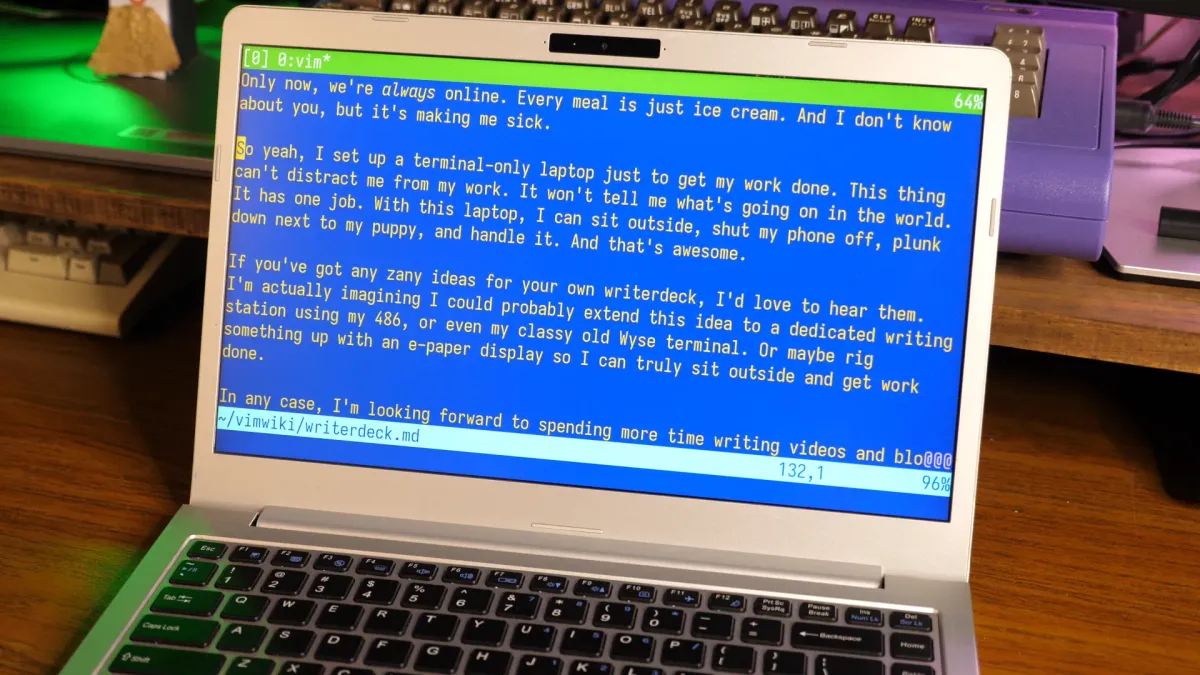
The italic text in Vim threw me for a loop. But I realised it makes sense.
Syntax highlighting already exists in editors. Terminal based ones often implement this in terms of terminal escapes or similar. Most modern terminal emulators support the enable-italic escape. Thus, some combination of these can effectively emulate markdown.
What I do note is that my root Linux consoles (Ctrl+Alt+F[1-6]), and LMDE) don’t support italics, suggesting the Vim instance is running in a full-screen terminal emulator under some windowing system or another.
That seems like overkill just for italics in an otherwise text-only interface, but maybe I’m missing something (patience being one possibility).
The answer is right there in the first paragraph, and in more detail if you read the whole article.
The author uses kmscon, that is a usermode console with proper graphics drivers, hi res rendering, and UTF8 font support. There is no desktop environment used.
I suspect that is where the italics support is coming from. Makes me want to try it out.
I’m surprised vim supports italics. Is there any terminal standard for that, like colors and bold text?